 Fast delivery across SA · support@techniworld.com

26 October 2026 · Techniworld
How long can a laptop PC remain useful? Part 1: Looking beyond its age
When a laptop feels slow or its battery no longer lasts, replacing it may seem like the obvious next step, but age alone doesn’t determine whether a computer has reached the end of its useful life.
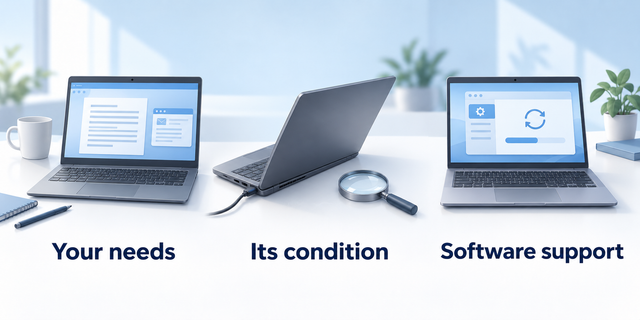
A better starting point is to consider the laptop’s condition, the tasks you need it to perform, and whether its software is still supported.
Does it still handle your work?
A laptop used for email, documents and browsing has different demands from one used for modern games, video editing or detailed mapping projects. A computer may remain useful for everyday tasks even when it struggles with more demanding applications.
Sluggish performance also deserves investigation. Too many background applications, limited memory or insufficient free storage can contribute to slowdowns. These symptoms do not automatically mean the whole computer needs replacing.
A laptop used for email, documents and browsing has different demands from one used for modern games, video editing or detailed mapping projects. A computer may remain useful for everyday tasks even when it struggles with more demanding applications.
Sluggish performance also deserves investigation. Too many background applications, limited memory or insufficient free storage can contribute to slowdowns. These symptoms do not automatically mean the whole computer needs replacing.
What condition is it in?
Check the screen, hinges, keyboard, charging connection and cooling system. Several developing faults may make further investment less attractive, while an otherwise sound laptop may have a specific problem worth addressing.
Battery condition is another consideration. Rechargeable batteries lose capacity over time, and heat can accelerate that process. Shorter running time does not necessarily mean the rest of the laptop is worn out.
Can its software remain supported?
A laptop may still switch on and run applications after security support ends. That makes it important to check support for its operating system, browser and essential software, particularly when using it for banking, email or business.
Start with what you need
Before deciding, ask: Does this laptop still perform my regular tasks reliably, can it run supported software, and what would it cost to address its limitations?
Those answers provide a more useful basis for a decision than its age or original purchase price alone.
In Part 2, we’ll examine when a memory upgrade, storage upgrade, or repair may be worthwhile, and when replacement makes more sense.